Available now for iPhone and iPad · iOS 16+ / iPadOS 16+
MEUSIC 1.3 / SAMPLE CONTENT
ME + MUSIC + YOUOne good song. So many connections.
SHARE SONGS ✳ FIND YOUR PEOPLE ✳ FEEL THE MUSIC ✳ SHARE SONGS ✳
A LITTLE MORE PERSONAL
Your taste. Your kind of connection.
Some songs are too good to keep to yourself. Give them a place in the conversation.
01 / SHARE
Send the feeling.
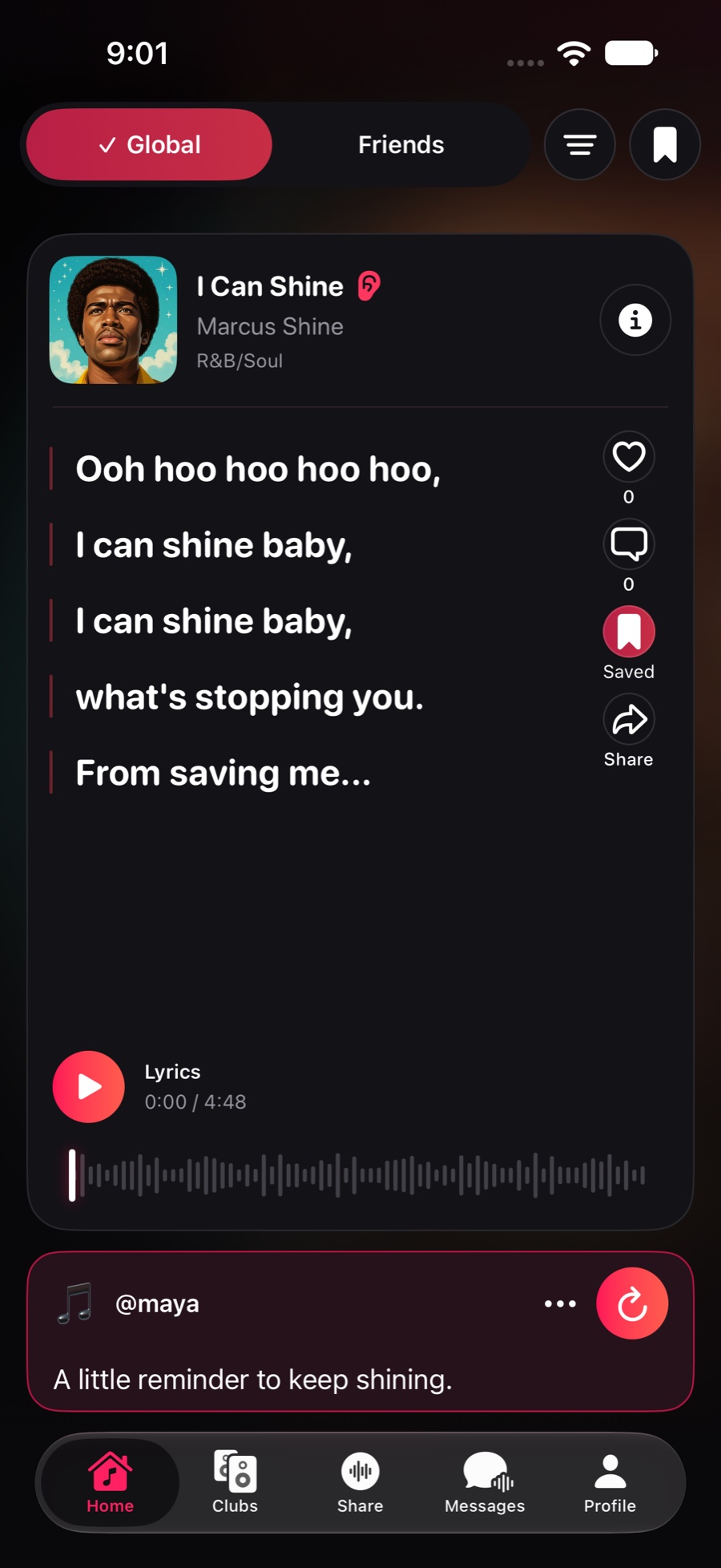
Share a song, highlight a lyric, or pick the part that hits. Add your own words and let the music do the rest.
A SONG. A LITTLE CONTEXT.
“This is the one I was telling you about.”
A note can make a song mean more.
02 / DISCOVER
Good taste travels.
Explore the music your friends are sharing. Find your next repeat listen through the people who know you.
On repeat.Passed along.Found together.
03 / CONNECT
Keep it going.
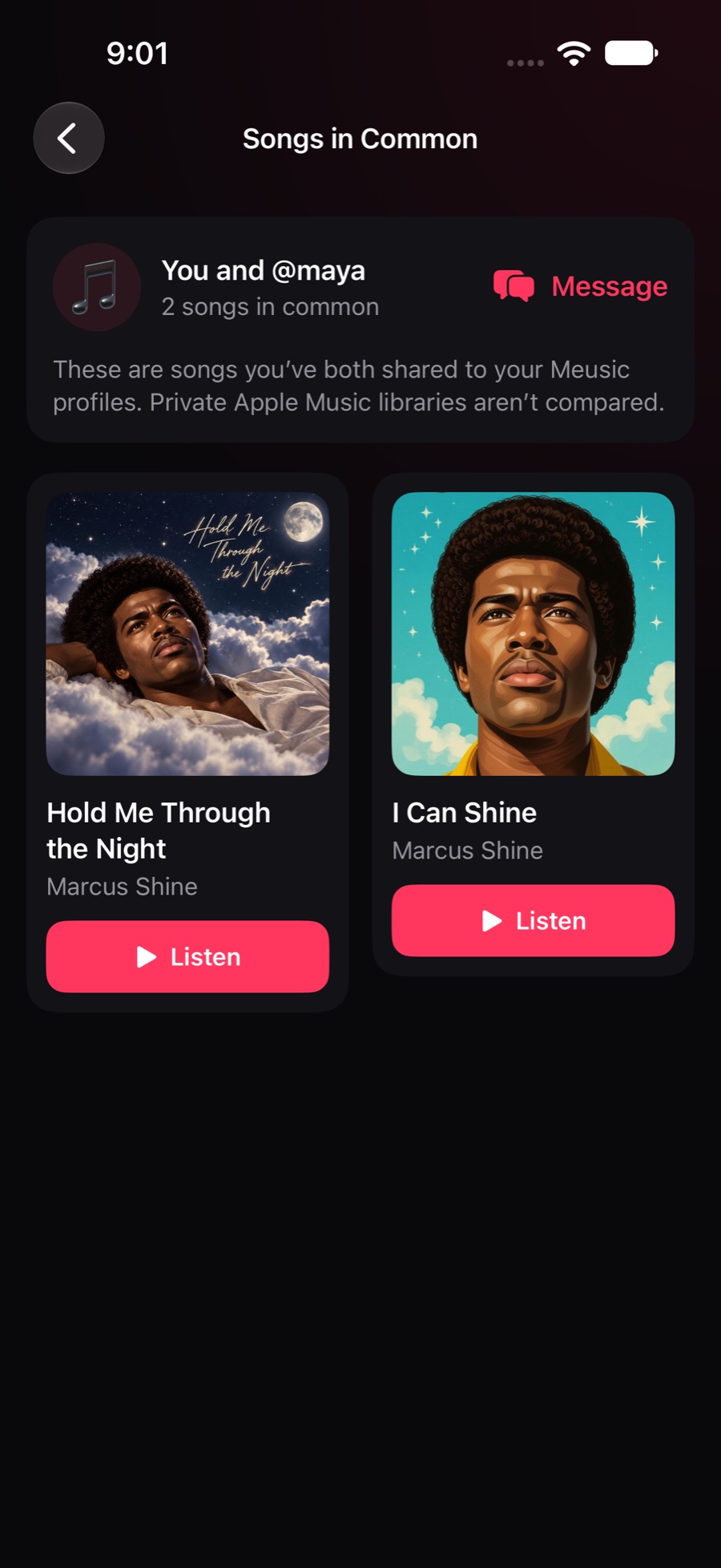
See which songs you and a friend have both shared to your Meusic profiles. Start a conversation about a shared favorite.
↔Less “you might like.” More “this made me think of you.”
A CLOSER LOOK
A whole song. Or just that part.
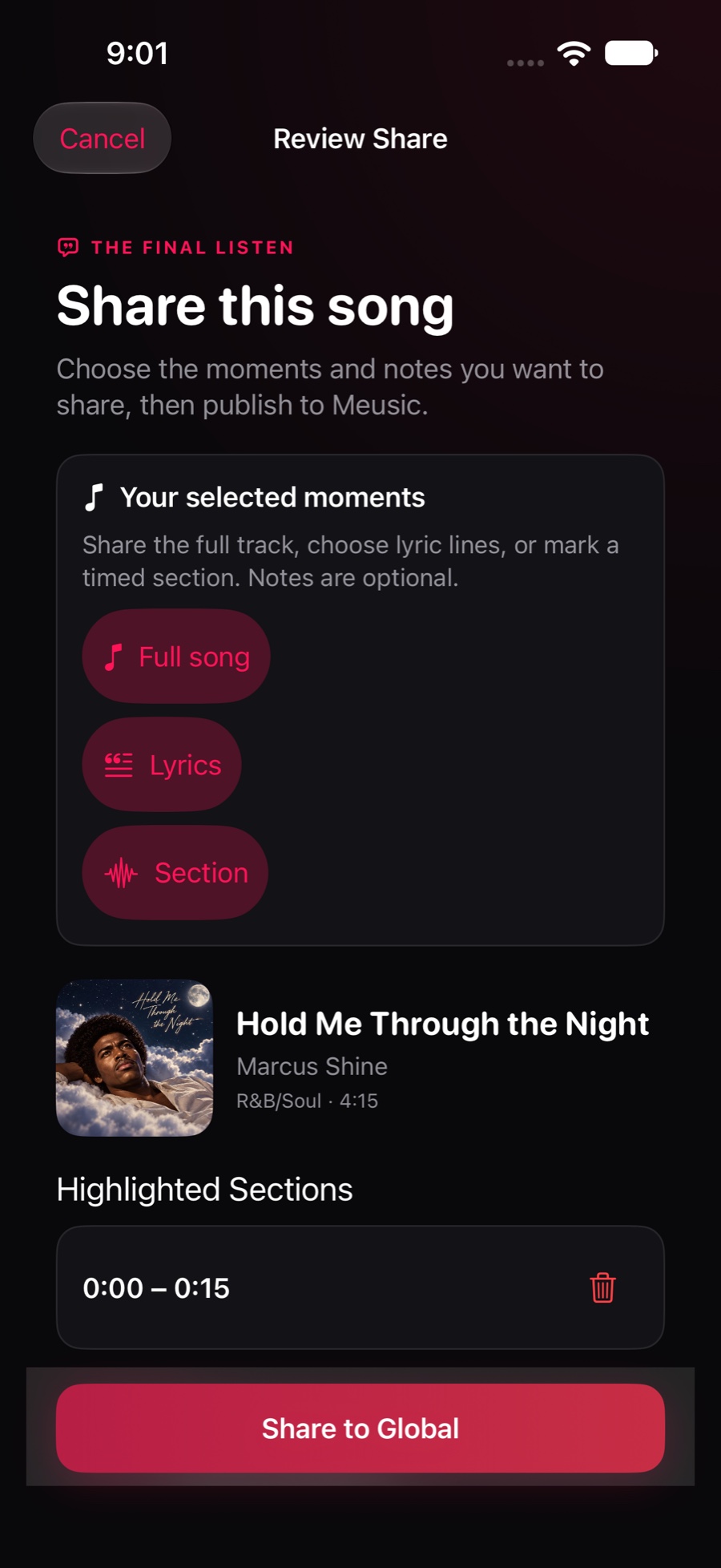
Sometimes it’s the chorus. Sometimes it’s a single line. Meusic lets you choose what you share—and give it your own meaning.
01
Find your song
Start with what’s playing, pick a recent track, or search Apple Music.
02
Make it personal
Use one composer to share the whole song, highlight lyrics, or select a timed section.
03
Pass it along
Add a note and review your post. You can come back to an unfinished share during the same app session.
Native app screenshots with sample profiles and activity. Lyrics and playback availability vary.
CHOOSE WHAT YOU SHARE View screenshot ↗
NEW IN MEUSIC 1.3
Keep listening. Come back to what you love.
Keep the music going as you browse the app. Use the mini player for quick controls or open the full listening view whenever you want.
Make a collection.
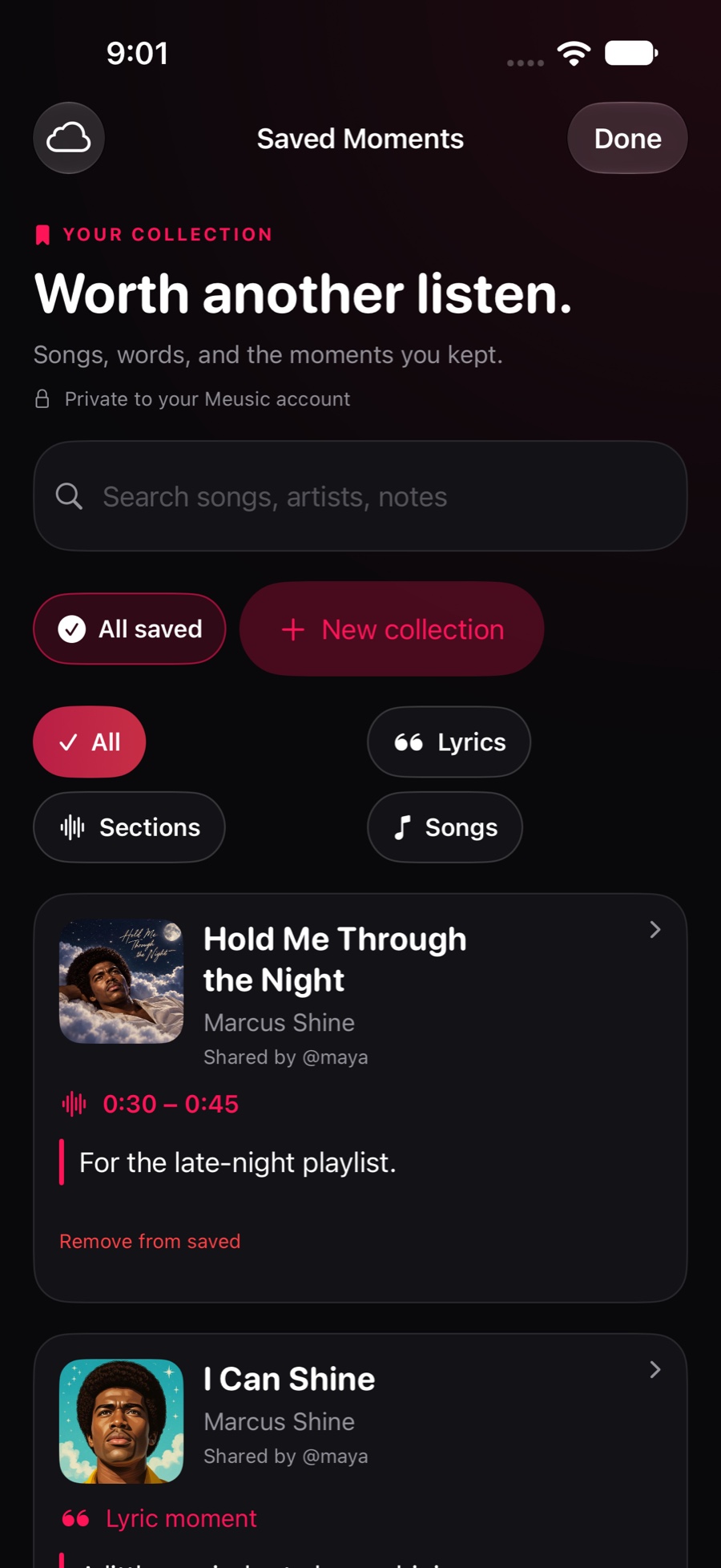
Find a saved moment by song, artist, or note. Group your bookmarks into named collections and optionally sync saved links and collections with iCloud.
Find your Songs in Common.
See songs you and a friend have both shared on Meusic. Listen to a shared favorite or use it to start a conversation.
Screens shown with sample profiles and activity.
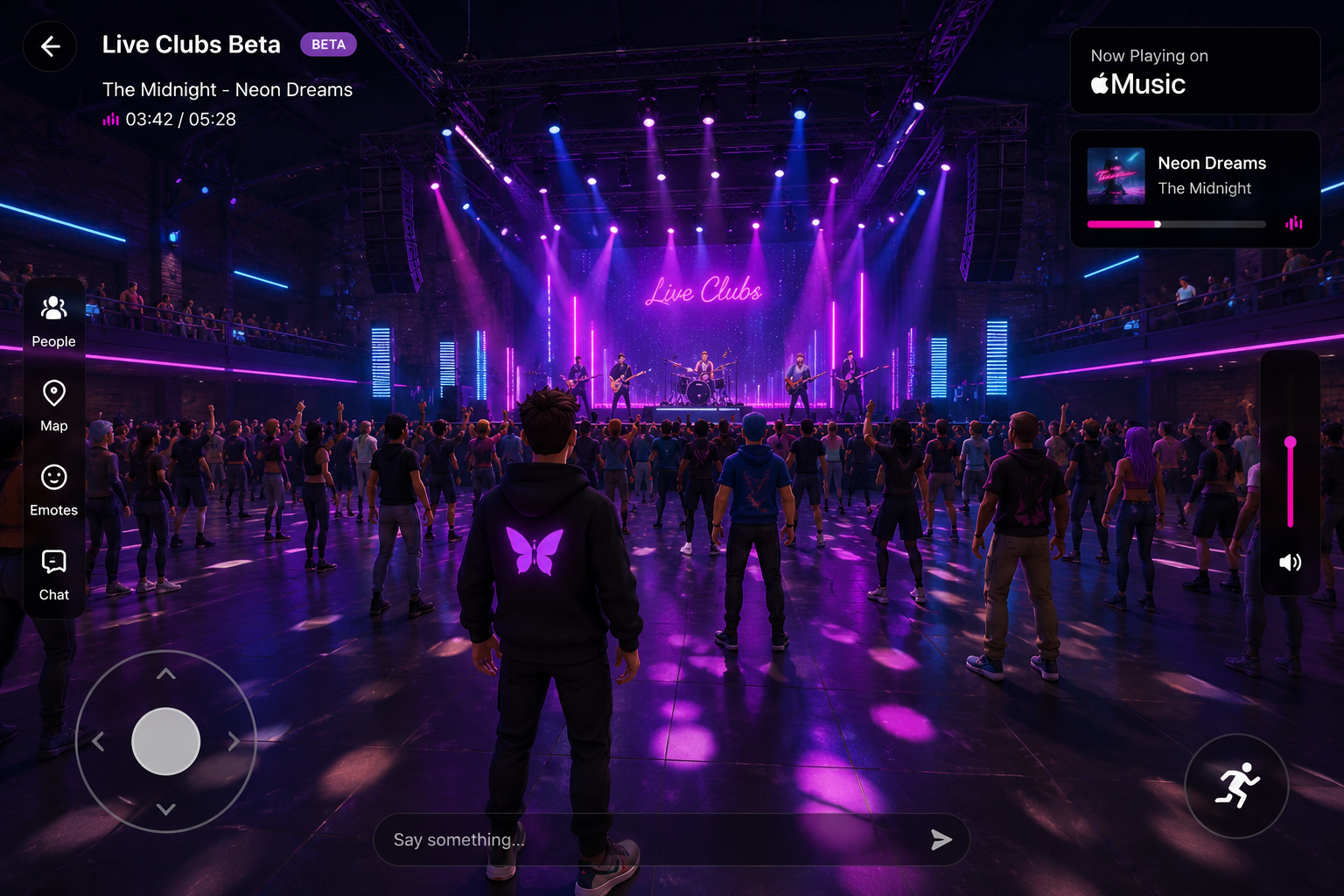
A NEW PLACE TO HANG OUT BETA
Same song. A whole new world.
A new way to experience your music is taking shape: virtual venues, music-driven atmosphere, and space to connect. Live Clubs are a deferred beta concept, excluded from the first app release. Ordinary social clubs are separate from Live Clubs.
LIVE CLUBS / DEFERRED CONCEPT PREVIEWVisual concept, not a screenshot of the current app.
NOW ON THE APP STORE
Make room for more Meusic.
A more personal way to discover, share, and connect. Available now for iPhone and iPad.
Requires iOS 16 or iPadOS 16 or later. Music playback depends on your Apple Music access and track availability.
What is Meusic?+
Meusic is a social music app for iPhone and iPad, built around song and lyric sharing, discovery through friends, messaging, and regular social clubs. Live Clubs are a separate deferred beta concept, excluded from the first app release.
How does Apple Music fit in?+
Meusic connects to Apple Music for music discovery and playback. Playback availability depends on your Apple Music access and authorization.
The app supports iPhone and iPad running iOS 16 or later (iOS and iPadOS respectively). Create an account with Sign in with Apple or a verified email address. Email sign-in does not require iCloud. Music playback depends on your Apple Music access, permission, region, and the availability of the track.
Where can I get help?+
Visit Help & support for music playback, account, privacy, and safety questions.
WE’RE LISTENING
Let’s keep the conversation going.
Questions, feedback, or a little help getting unstuck.
 meusic